When something breaks, Dokwe tells you why.
AI agents read your app's errors and logs, write down the root cause, and propose a fix: a corrected variable, a restart, or a pull request. Nothing changes until you say so.
HIGH  config  ·  api  ·  2 minutes ago

Root cause
SMTP_PORT is set to 456; the mail server
listens on 465.

Fix  env_var
SMTP_PORT = 465, then redeploy

[ Apply fix ]   [ Review ]   [ Dismiss ]
A first diagnosis before you open the logs.
Know what broke before anyone starts digging.
Turned into a cause, a severity and a concrete fix.
A wrong variable fixed and redeployed, with your approval.
A pull request to review instead of a ticket.
How it works.
Add your AI key
In Settings, add a Claude, OpenAI or Gemini key and pick a model. Keys are stored encrypted.
Deploy as usual
Dokwe watches your app's output for errors. The triage agent looks at each new one; other agents run on a schedule.
Read and act
Findings show the cause, the fix and the severity. Apply, review or dismiss.
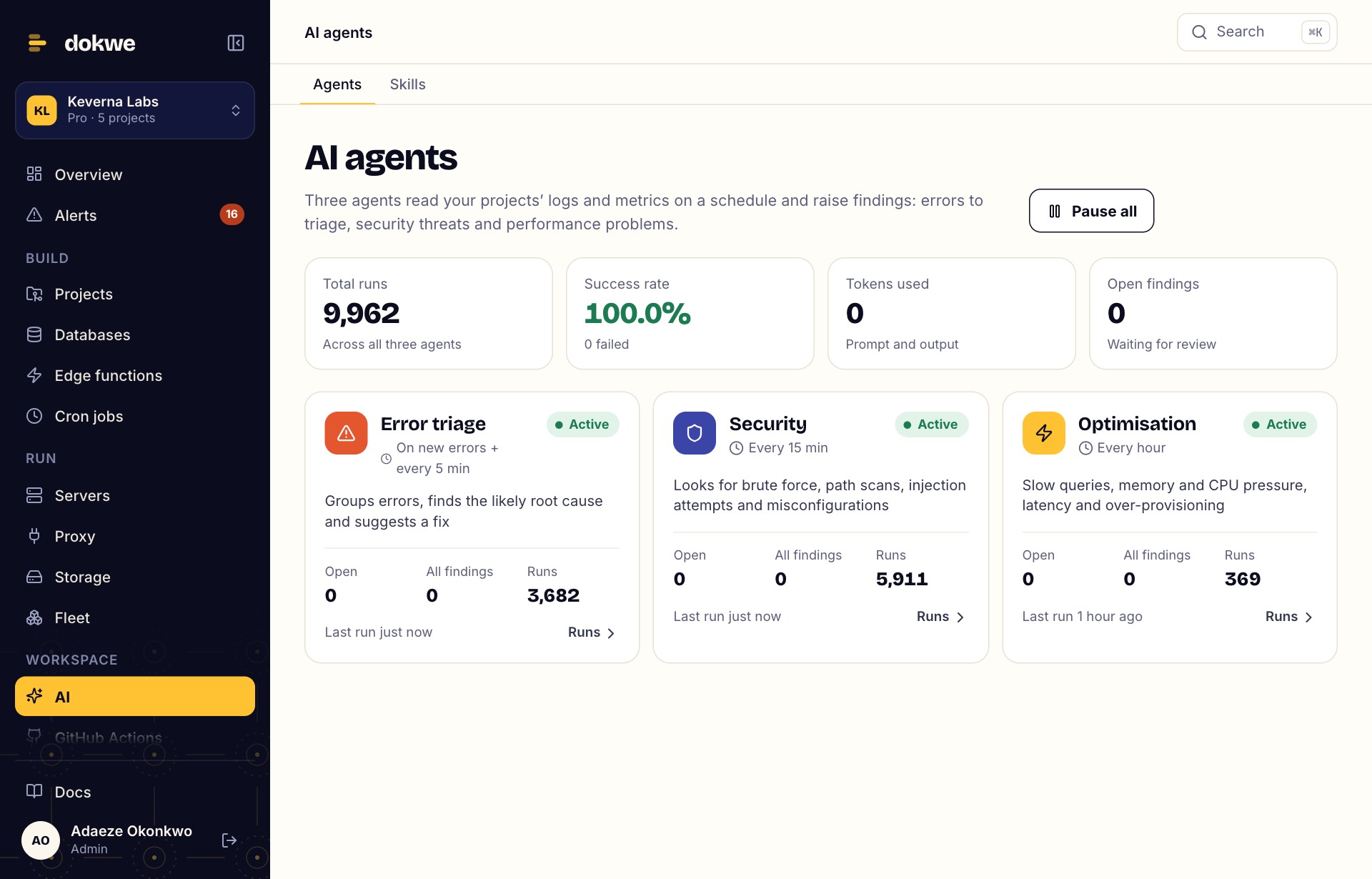
Three agents, one inbox.
Every 5 minutes
Classifies each new error, from database to auth, and writes the root cause and fix.
Every 15 minutes
Reads logs for brute force attempts, injection attempts and suspicious traffic.
Every hour
Looks at metrics for slow queries, memory and CPU pressure, and latency.
Five kinds of fix
Set a variable and redeploy, restart, open a pull request, or propose a Dockerfile or config change.
You decide
Approval is required by default. In autonomous mode, only variable fixes and restarts apply themselves.
No duplicate noise
The same error within an hour is skipped. Admins can pause every agent at once.
Ask from Claude Code, too.
Dokwe's MCP server lets AI assistants list your projects and errors and act on issues, with a workspace token.
$ claude mcp add --transport sse dokwe \
    https://dokwe.com/api/mcp/sse \
--header "Authorization: Bearer <your-mcp-token>"Good questions, straight answers.
Which AI models can I use?
Claude, GPT and o-series, or Gemini, with your own API key. The default is Claude Sonnet 5.5.
Will it change my production app on its own?
Only if you switch a project to autonomous mode, and then only variable fixes and restarts. Everything else waits for a person.
Does it push code to my repo?
It opens a pull request for small code fixes. Nothing is merged without you.
Where is my AI key stored?
Encrypted per workspace with AES-256-GCM. Guests can't change it.
Does it check that a fix worked?
Yes, for variable and restart fixes. Dokwe counts the error in the logs for 30 minutes before the fix and 10 minutes after. If it stopped, the finding is resolved; if it came back, the finding opens again.
Will I get the same finding fifty times?
No. The same error within an hour is skipped.