Your servers. Our platform.
Run one command on a Linux server you rent or own. Dokwe builds and runs your apps there, keeps them running, and you manage everything from the same dashboard.
For teams that already have servers.
Git-push deploys on it, instead of SSH scripts.
Apps and data on servers you control, in the country you choose.
Laravel with queues, deployed natively with systemd and nginx.
Replicas on several servers, and a clean way to retire one.
Connected in three steps.
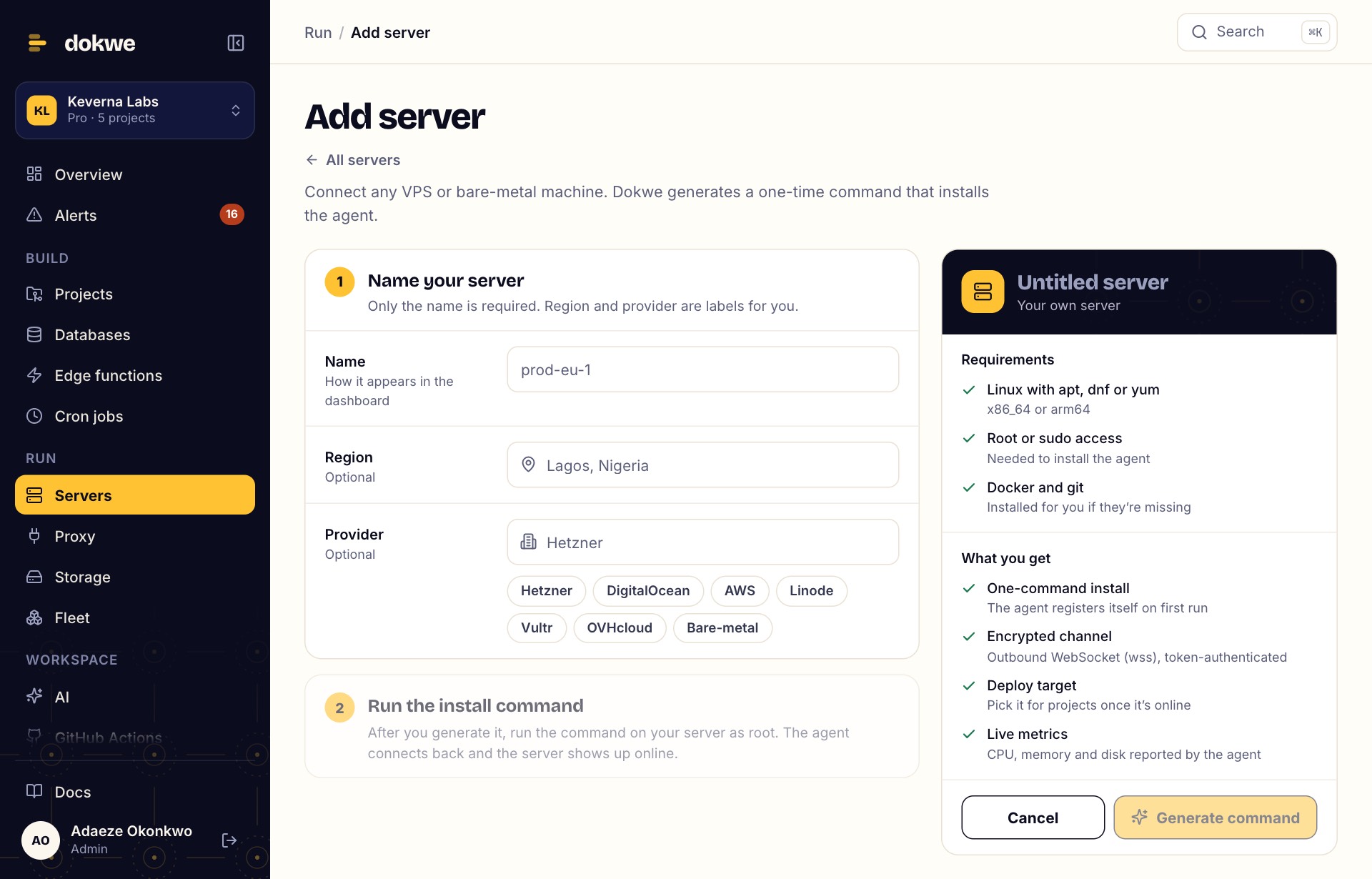
Add the server
Give it a name and Dokwe makes a one-time install command. It works once and expires after 24 hours.
Run it as root
It installs Docker and git if missing, the agent and a systemd service. The server shows as online.
--token <token> --server-name "web-1"
Deploy to it
Pick the server as an environment's deployment target and push. Builds and containers run on your server.
It fixes the small things itself.
The agent dials out
A WebSocket from your server to Dokwe. Dokwe keeps only a hash of the agent token, and you can rotate it.
Picks up where it left off
Heartbeat every 15 seconds; if the link drops, the agent reconnects by itself.
Checked every 10 minutes
Restarts stopped containers Dokwe expects, fixes their network and ports, clears old images when the disk is full.
Risky fixes wait for you
Firewall and Docker setting changes need approval. Choose Auto, Report only or Off.
Containers or native
Run Docker containers, or native releases with systemd, nginx and PHP-FPM.
Retire a server cleanly
Remove server lists every app, database, storage space, cron job and function on it, so you can move each one first.
One list, every server.
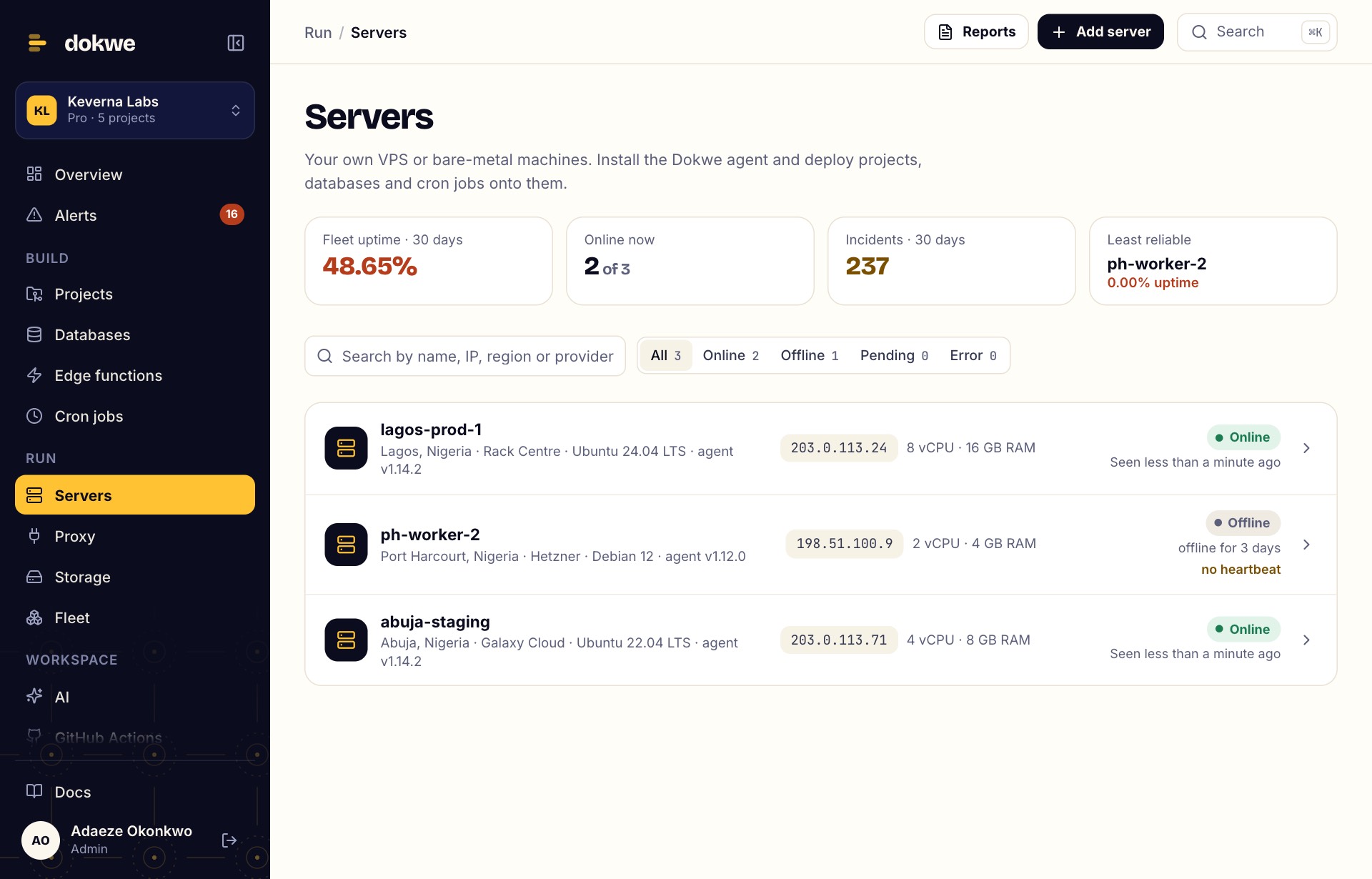
See which servers are online, their uptime, and what runs where. Open one for its apps, deployments, recovery history and a terminal.
- Uptime over 24 hours, 7 days and 30 days
- A reliability report, least reliable first
- Linux on x86_64 or arm64, with apt, dnf or yum
Next to the usual server panels.
| Question | Dokwe | SSH-based server panels |
|---|---|---|
| How it reaches your server | The agent dials out; no SSH key given to Dokwe | Connects in over SSH |
| Deploy styles | Containers, or native releases from dokwe.yml | Usually one style |
| Self-recovery | Safe fixes every 10 minutes | Usually up to you |
| Retiring a server | Guided: move everything off, then remove | Manual |
Good questions, straight answers.
Which servers can I connect?
Any Linux server on x86_64 or arm64 with systemd and apt, dnf or yum, where you have root. We recommend Ubuntu 24.04 or Debian 12 or newer.
Do I need to open ports for Dokwe?
Not for control: the agent connects out to Dokwe. Your apps' ports do need to be reachable from Dokwe so it can send visitors to them.
What does the installer change?
It adds Docker and git if missing, installs the agent at /usr/local/bin/dokwe-agent, writes a root-only config in /etc/dokwe-agent, and creates a Docker network and a systemd service.
What if the install token leaks?
It works once and expires after 24 hours. After install, you can rotate the server's token from its page.
What happens if a container dies at 3am?
Recovery checks every 10 minutes and, in Auto mode, restarts containers Dokwe expects to be running. Anything riskier waits for you.
How many servers can I connect?
Free 1, Team 3, Business 10, and Enterprise as agreed.