Patch, fail over, prove it worked.
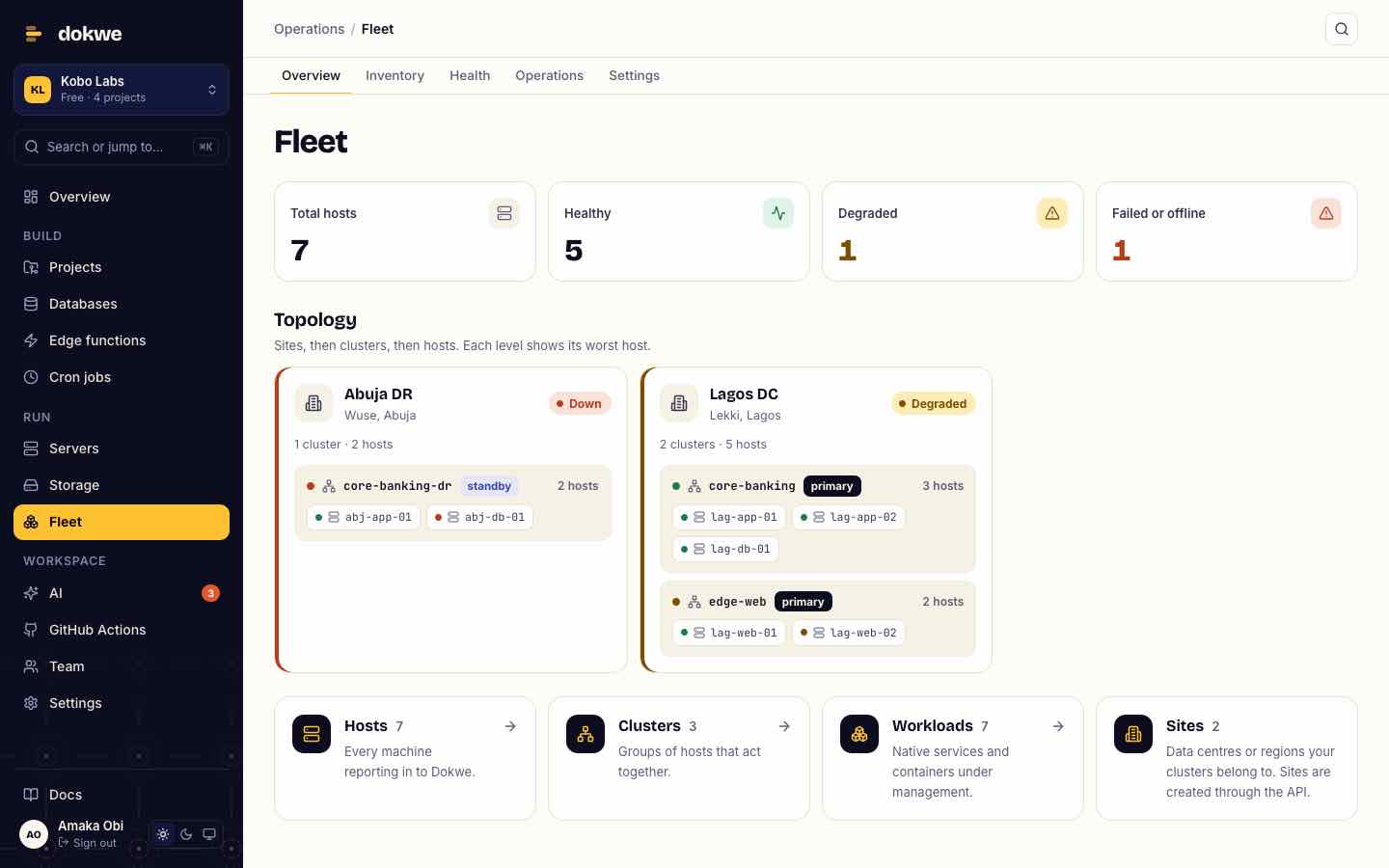
Fleet watches every server you connect and runs the risky jobs carefully: rolling patches one host at a time, failover between clusters, and disaster recovery drills with a signed report.
For the people who keep servers running.
Cloud servers, a data centre and office servers in one place.
One host at a time, checked before the next.
Rehearse it and hand auditors a signed report.
Slack, webhook or email when a check fails or a server runs hot.
How it works.
Connect servers
Fleet uses the same agent as deploys, on by default for new installs. Hosts appear when the agent reports.
Organise
Group hosts into sites and clusters, mark clusters primary or standby, add health checks and alert channels.
Operate
Run a rolling patch, cordon a host, fail over a cluster or run a drill, and download the report.
Careful by default.
Five kinds of health check
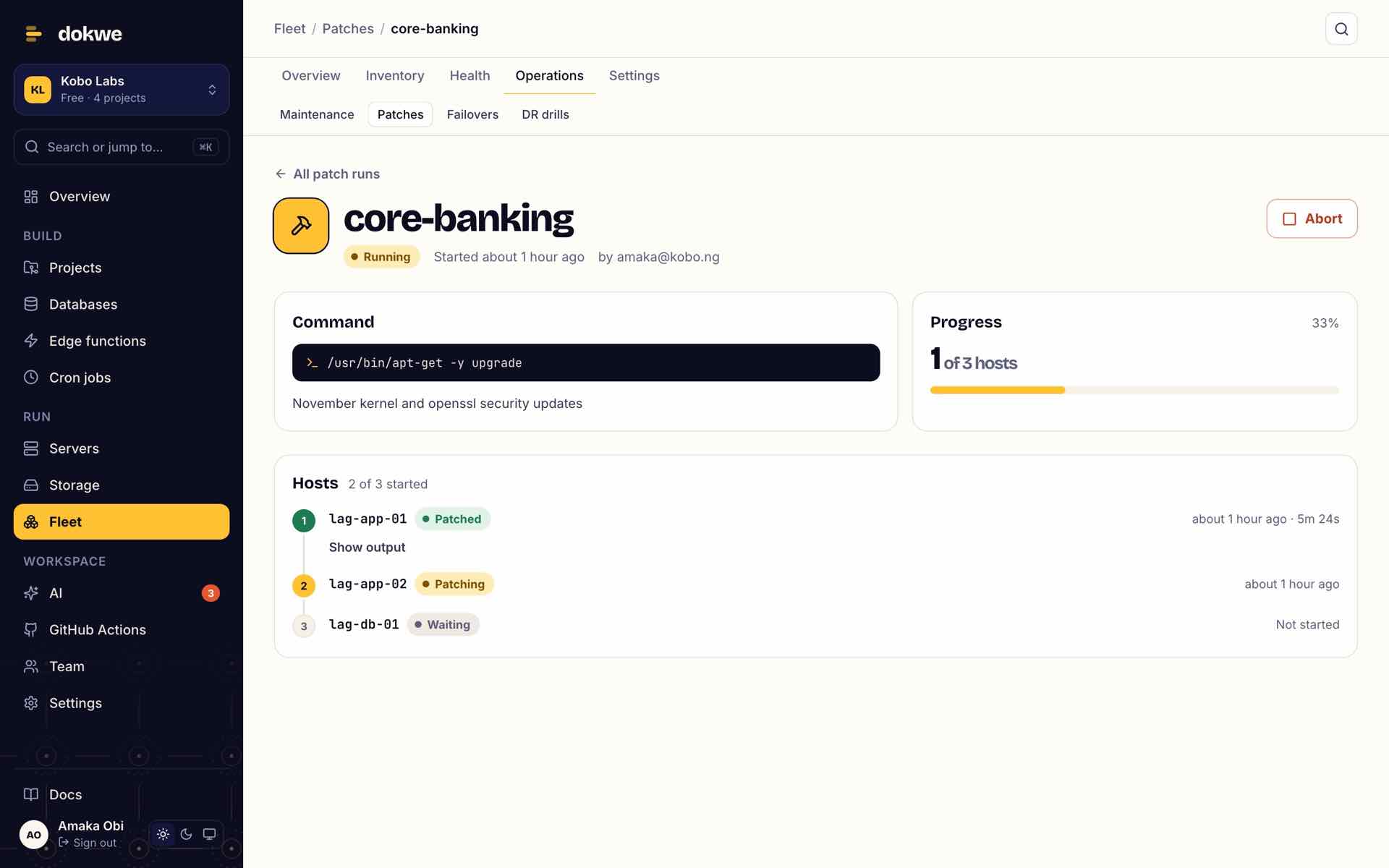
TCP, HTTP, a command, a file or a log, every 10 seconds to once a day, on a host or a cluster.
Rules with cooldowns
CPU, memory or disk over a threshold, or a check failing in a row. Quiet during maintenance windows.
One host at a time
Cordon, run your patch command, wait for checks, uncordon. A failure pauses the run until you resume or abort.
Typed confirmation
Drain, pre-checks, an optional DNS switch on Cloudflare, Route 53 or your script, role swap, post-checks.
Signed reports
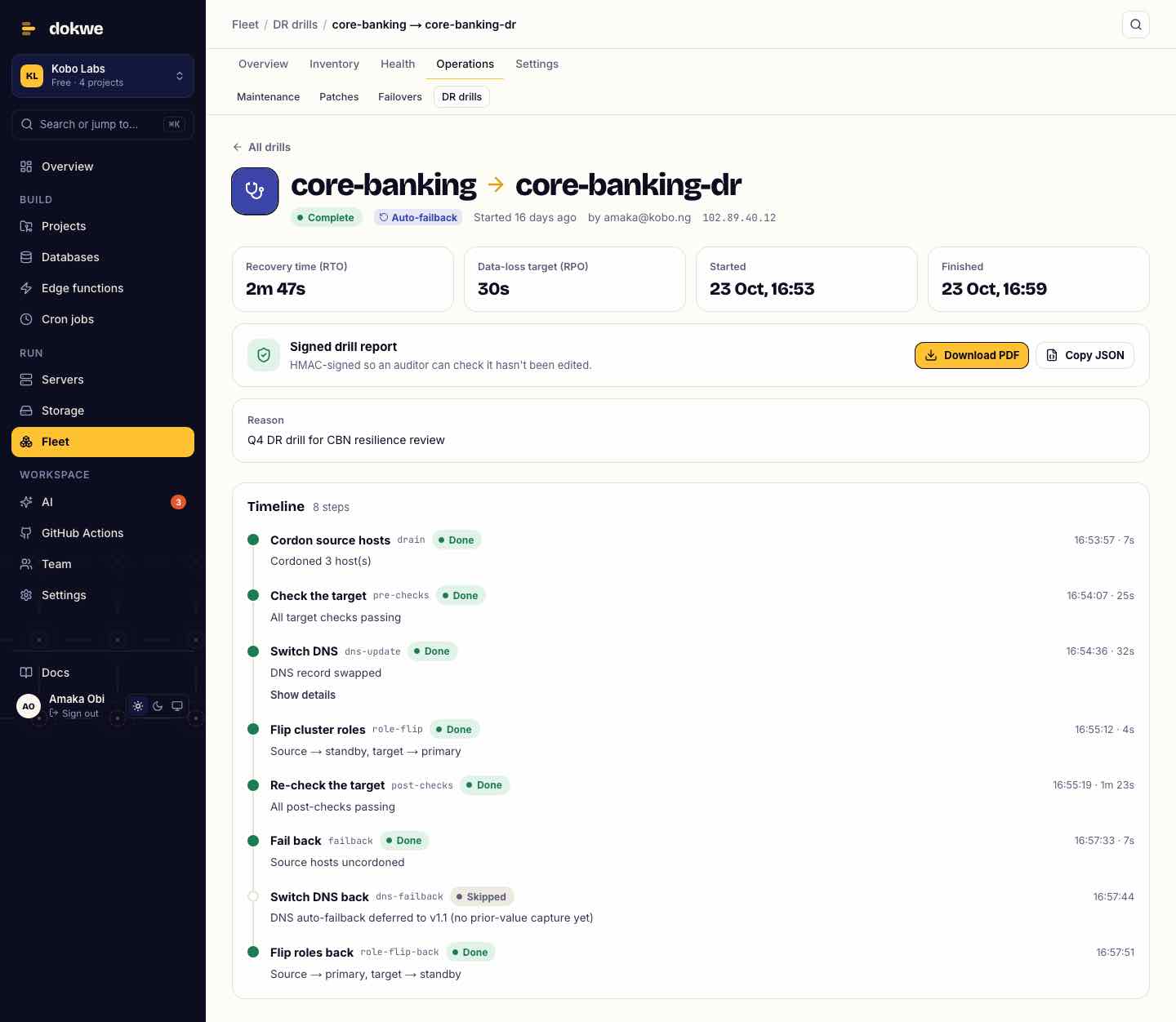
Measure recovery time and download the report as JSON or PDF, signed with a key unique to your workspace.
Viewer, operator, admin
Fleet roles are separate from app roles, and every action is in the audit log.
Rehearse it before you need it.
A drill fails a cluster over on purpose, checks the standby, measures how long it took and gives you a report an auditor can verify.
- Recovery time measured in seconds
- Reports as JSON or PDF
- Anyone can check a report hasn't been changed
Good questions, straight answers.
Do I need a separate agent for Fleet?
No. The same Dokwe agent sends Fleet data, and new installs have it on by default.
Which plan do I need?
Inventory, monitoring, health checks and alerts work on every plan. Rolling patches, maintenance windows, failover, drills and audit export are on Business and Enterprise.
What happens if a host fails during a patch?
The run pauses on that host with the error. Fix it, then resume or abort. Hosts already patched are skipped on resume.
Does Dokwe choose which patches to install?
No. You give the patch command, for example apt-get -y upgrade or a script on the server. Fleet runs it safely, one host at a time.
Can an auditor trust a drill report?
Each report is signed with a key unique to your workspace, and the verify action checks it hasn't been changed.
Who can start a failover?
Members with the fleet-admin role. Operators can run drills and manage hosts; viewers can look.
Watch your servers free. Run patch night on a trial.
Inventory, monitoring, health checks and alerts are free. Patching, failover and drills come with Business: try it for 14 days with no card.
- Inventory and monitoring
- Health checks and alerts
- Same agent as deploys
- Rolling patches and maintenance windows
- Failover and DR drills with signed reports
- Audit log export
- Everything in Free
- Everything in Business
- Help onboarding your servers
- Invoicing and procurement
Prices in naira, VAT included. Pay Business monthly or yearly by card, or yearly by invoice and bank transfer.
Run your next patch night from one screen.
Connect your servers and open Fleet. For a whole estate, talk to us about Enterprise.