A few lines of code. Its own URL.
Paste a TypeScript handler into Dokwe and it answers at its own HTTPS address in seconds. No server to set up and no build step: just Deno.serve.
Deno.serve(async (req: Request) => {
  const url = new URL(req.url);

  if (req.method === "POST" && url.pathname === "/webhook") {
    const event = await req.json();
    return Response.json({ received: true, type: event.type });
  }

  return new Response("Not found", { status: 404 });
});

// live at https://my-hook-fn.dokwe.com
For the small things that need a URL.
Receive payment, GitHub or form events without standing up an app.
Glue code between services, or a quick endpoint for a prototype.
Short links and moved pages, in a few lines.
A health or status URL for something that has none.
Live in three steps.
Name it
The name sets the slug, and the slug sets the URL: https://<slug>-fn.dokwe.com.
Write the handler
Start from the template. Use the standard Request and Response; Dokwe sets the port for you.
Create & deploy
Dokwe saves your code and starts its container. Edit later and Save & deploy replaces it.
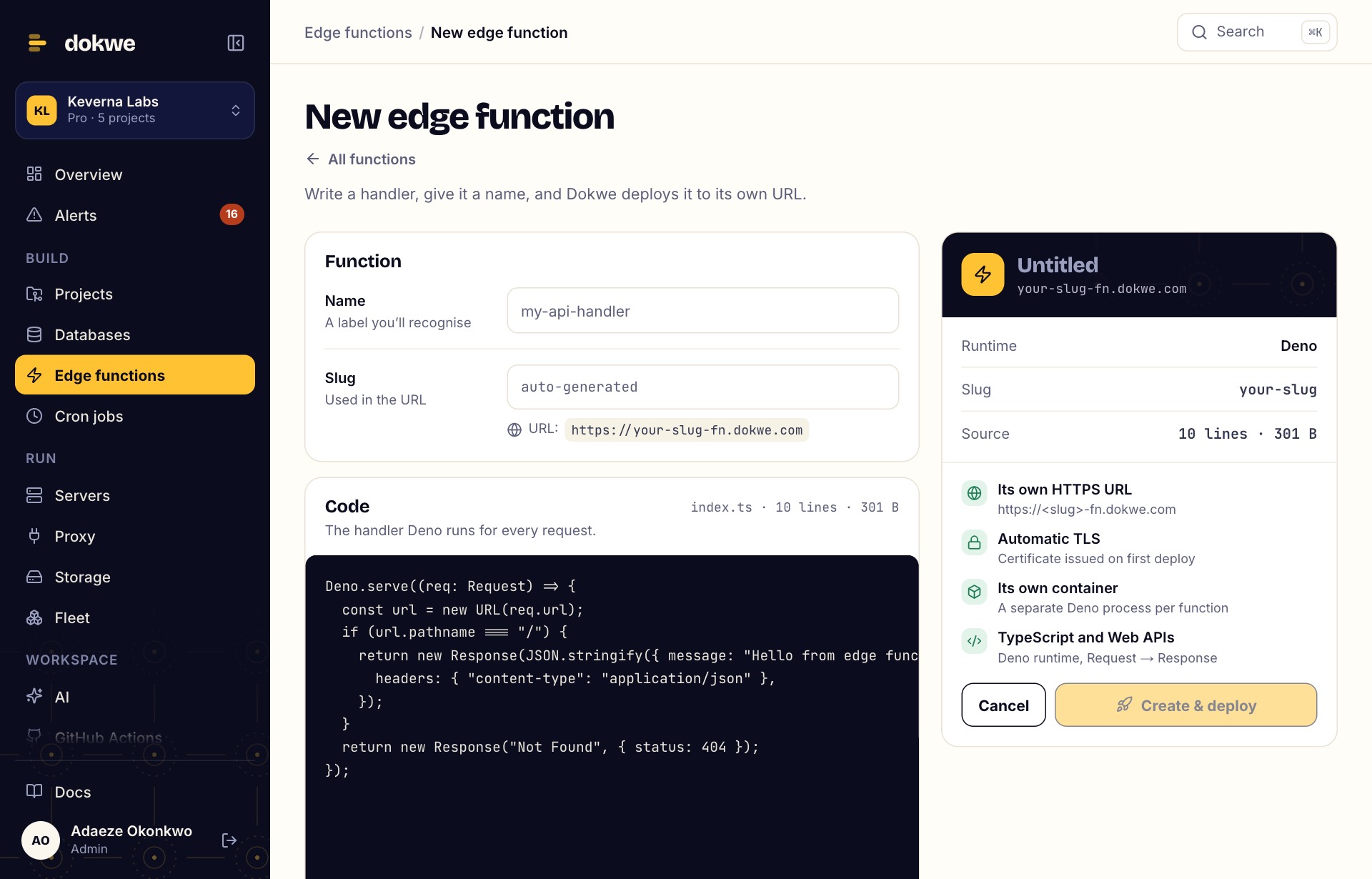
Each function in its own box.
Full Deno
TypeScript or JavaScript in one file, up to 500,000 characters, run with deno run.
Only what a handler needs
Network, environment and read access. No disk writes outside a small /tmp, no subprocesses.
One container per function
Up to 2 GB of memory, every Linux capability dropped except binding a port, code mounted read-only.
Restarts if it crashes
Stop, start or delete any time. If it fails to start, the reason is shown on the function page.
Good questions, straight answers.
What language do I write in?
TypeScript or plain JavaScript on Deno, with the standard Request and Response.
How fast is it live?
There's no build step. Dokwe saves your code and starts its container straight away; the status moves to running when it's up.
What can my function access?
The network, environment and read-only files. It can't write to disk apart from a small /tmp, and it can't start other processes.
How much memory does it get?
Up to 2 GB per function, and it restarts automatically if it crashes.
Can I use secrets?
Yes. Add environment variables on the function's Settings tab and read them with Deno.env.get. Values are encrypted and only passed to the function.
Can it run on a schedule?
No, functions answer HTTP requests. Use a Dokwe cron job for scheduled work.
Give your next webhook a home.
Paste a handler, press Create & deploy, call the URL.